Click the link below to build the Costa Rica app yourself:
When you click the button you will enter the PlayCode page:
Click on Start Free
In the file "App.jsx" paste this code!
import React from 'react';

export function App(props) {
  return (
      <div className="App">
       <h2>Hola mundo</h2>
      </div>
      );
}

console.log('Configurando')
In the file "index.jsx" paste this code!
import React from 'react';
import ReactDOM from 'react-dom/client';

import { App } from './App.jsx'

ReactDOM.createRoot(
  document.querySelector('#root')
).render(<App />)
In the file "index.html" paste this code!
<!DOCTYPE html>
<html lang="en">
  <head>
    <meta charset="UTF-8">
    <meta name="viewport" content="width=device-width, initial-scale=1.0">
    <link rel="stylesheet" href="src/style.css">
  </head>
  <body>
    <div id="root"></div>

    <script src="src/index.jsx"></script>
  </body>
</html>
Create a file called "style.css"
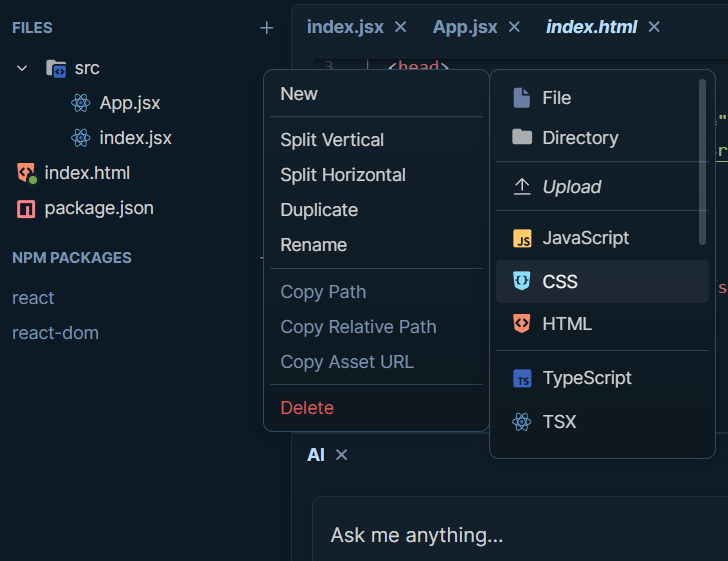
Before seeing all the elements needed to create our Costa Rica project, we need to set up, or more specifically, create an important folder.
Click on the 3 dots next to the main folder called "src"
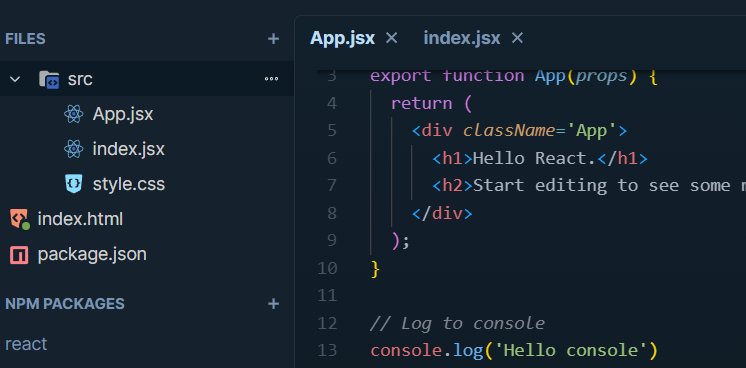
The ‘style.css’ file must be inside the src folder
Then follow these steps:
"New", "Directory"
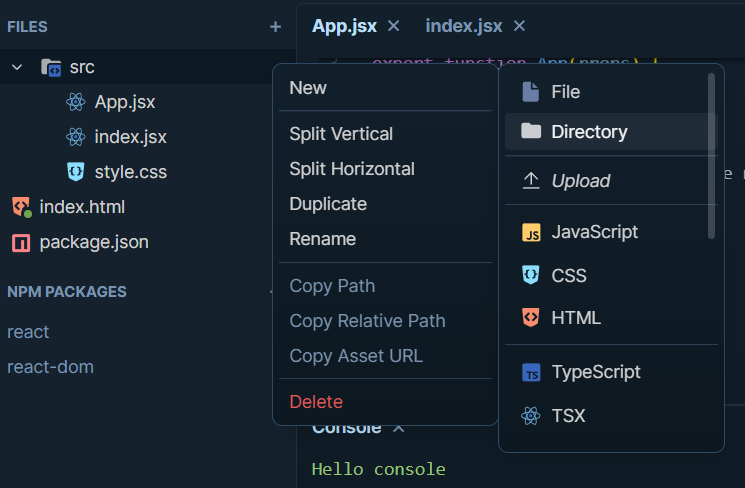
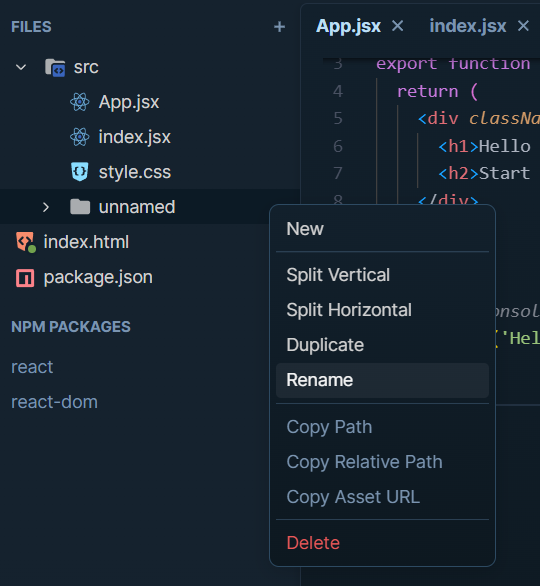
Now we have the folder created, click on the 3 dots and rename:
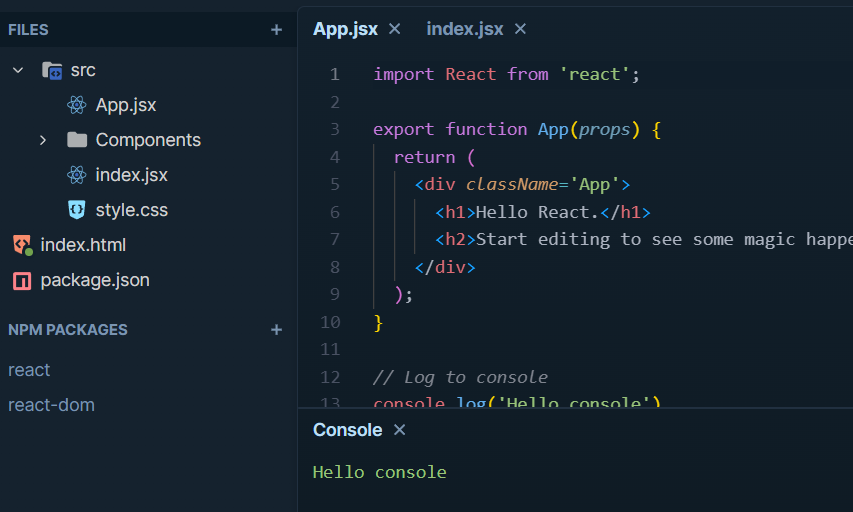
Done! We have the Components folder created, we are almost ready!
Finally, we need to add jsx files so we can start building our project!
To do this, click on the 3 dots again but now on the "Components" folder.
Important: select the "JSX" file type.
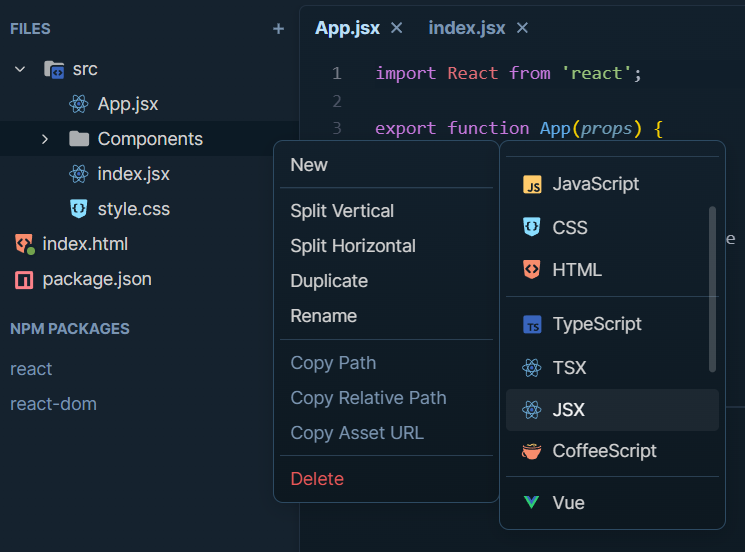
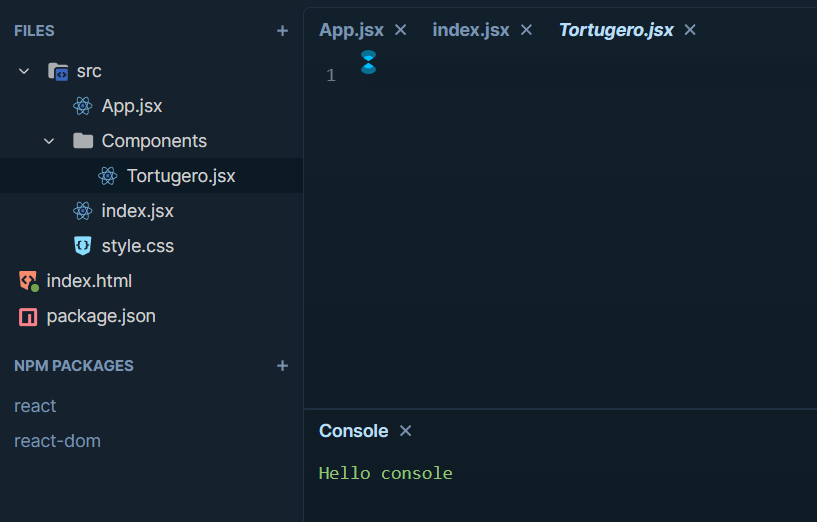
This is how our new file should look, named: "Tortugero.jsx"
Tortugero.jsx
Tortuguero Island is an island that belongs to the Central American country of Costa Rica. It is located between the Caribbean Sea and the lagoon of the same name, with an estimated area of 2,810 hectares.